
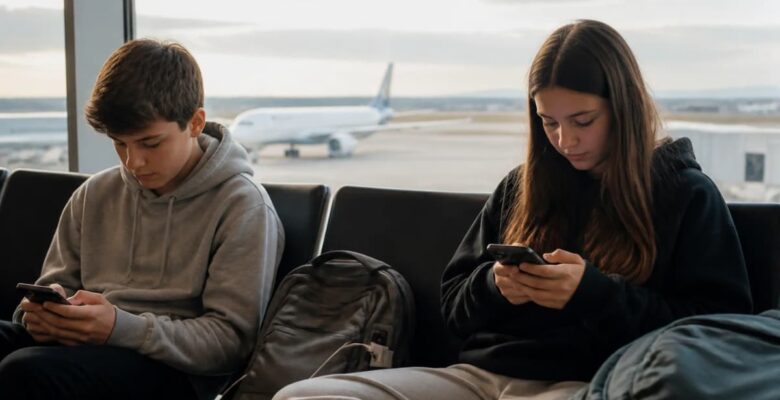
Our family trips have changed a lot since the kids became teenagers. They used to be about snack bags and nap schedules. Now they’re about phone chargers, eSIMs, boarding passes spread across three different apps and the constant question of whether the lodge Wi-Fi is good enough to upload a video. Traveling with teens means traveling with a lot of devices, and every one of them is connected to an account somewhere.
Somewhere along the way I realized our digital safety plan was mostly hope. We were booking flights from the same inbox we used for school forms and online shopping, and logging into everything on hotel networks without a second thought. If a phone went missing, or we received a convincing phishing email, we could have faced problems long after the holiday ended. Sorting things out turned out to be easier than I expected, and it started with one simple change.
This article contains affiliate links. We earn from qualifying purchases.
Why we set up a travel-only inbox
Every booking we make now goes to one dedicated account. Flights, rental cars, national park reservations, tours and travel insurance all land there, and nothing else does. When a reservation email arrives, I know it’s relevant because that address isn’t on shopping or newsletter lists. I still check the sender and details carefully, but keeping everything separate makes suspicious messages easier to spot.

It’s made the trip itself calmer too. At a rental car counter or a ferry terminal, one search brings up the confirmation in seconds, and nobody has to scroll past three weeks of school updates to find it. We can search by destination, booking reference or provider name, which is particularly useful when we’re moving between several locations.
There is a security benefit as well. Scammers often imitate airlines, hotels and booking platforms, sending messages about failed payments or supposedly cancelled reservations. Because our travel inbox has a specific purpose, unexpected messages stand out. If we receive an update for a booking we haven’t made, we investigate instead of clicking immediately.
A separate inbox isn’t a guarantee against fraud, of course. We verify unexpected changes through the official airline or accommodation website or app, rather than trusting links in an email. We also avoid forwarding sensitive documents unnecessarily and limit access to the account to family members who genuinely need it.
For shared reservations, we use the travel inbox as our main contact address where practical, while keeping individual accounts for personal tickets and activity bookings. This gives everyone a clear place to find their information without sharing one password across every device.
Choosing a free email for the whole family
You don’t need to pay for this. A free email account with good security features can do the job well, provided you choose a reputable provider and understand how it protects your information. We picked one that encrypts our messages, which matters when the inbox contains booking references and other personal details.
It’s worth checking what encryption actually covers. Some providers encrypt messages in transit, while end-to-end encryption offers stronger protection for message contents. These aren’t the same thing, so we avoid assuming that every email service protects information in exactly the same way.
We also looked at the basics: suspicious-login alerts, account recovery options, connected-device reviews and two-step verification. The best service isn’t necessarily the one with the most features. It’s the one the family can use confidently and keep secure.
Each of our teens has their own account for tickets and activity bookings, and they’ve learned to set strong, unique passwords. A password used for gaming or social media shouldn’t also protect travel documents. Reusing passwords can put several accounts at risk if one service suffers a data breach.
A password manager can help everyone create and store unique passwords without having to memorize them all. We also enable two-step verification, using an authenticator app rather than text messages where possible. This is particularly useful abroad, when mobile coverage or roaming services may be unreliable.
Before leaving home, we check that recovery details are current and save recovery codes somewhere secure, separate from the devices they protect. Losing a phone shouldn’t mean losing access to every important account.
We also review privacy settings and avoid sharing unnecessary personal information when registering for services. For younger teenagers, age-appropriate account settings and parental controls may be helpful. The goal isn’t to monitor every message, but to help them recognize suspicious requests and understand when to ask for help.
Public Wi-Fi rules for teens (and parents)
Airport and hotel Wi-Fi is handy, but it isn’t the place for anything sensitive. The FCC’s cybersecurity tips for international travelers recommend avoiding public networks for banking or online purchases and turning off auto-join so devices don’t connect without you noticing. We now have a family rule: browsing and maps are fine on public Wi-Fi, but payments and important logins wait until we’re on mobile data.
Public Wi-Fi isn’t automatically dangerous, but travelers may not know who operates a network or whether a similarly named hotspot is legitimate. We teach the teens to confirm the correct network with hotel or airport staff rather than choosing the first familiar name they see.
We also remind everyone not to ignore security warnings or install unfamiliar applications and profiles just to access a connection. If something looks unusual, disconnecting is better than accepting every prompt.
Mobile data or a trusted personal hotspot is our preferred option for banking, payments and sensitive account access. Before traveling, we check roaming costs and consider an eSIM with a suitable data allowance. It’s much easier to arrange connectivity at home than to discover an expensive roaming charge abroad.
A virtual private network (VPN) can add protection by encrypting traffic between a device and the VPN service, but it isn’t a complete security solution. It won’t make a phishing link safe or guarantee that a website is legitimate. Checking website addresses and using strong passwords remain important.
Note: Our family uses NordVPN and recommmend them for price (just a few dollars a month), ease of use, and security features.
Social media deserves attention, too. Sharing a photo of a hotel room or announcing that the whole family is away can reveal more than intended. We generally wait until we’re home before posting collections of holiday photos, and we never share boarding passes or booking confirmations publicly.
We also review location-sharing settings. Some apps can reveal a person’s location through posts, photos or continuous location access. Teens can still share their adventures without giving every app permission to track them all the time.
Most importantly, these rules apply to adults as well. We try to follow the same habits we expect from the kids, explaining the reasons behind the rules rather than treating digital safety as a list of restrictions.
Before you leave home
A short checklist covers most of the risk. Update every device, back up photos, and remove anything you wouldn’t want to lose if a phone goes missing. Save copies of passports and key bookings securely, and print the essentials in case batteries die on a long travel day.
We start with software updates because they can include fixes for security weaknesses. Phones, tablets, laptops and browsers all get checked before departure, along with the apps we’ll need for tickets, navigation and accommodation.
Next comes the backup. We make sure important photos and files have a reliable copy separate from the device carrying them. Cloud backups are convenient, but we check that they have completed successfully and know which account they’re connected to.
We also enable device-recovery features. Find-my-device tools may help locate a missing phone, lock it remotely or erase its contents if necessary. Everyone should know how to report a missing device and secure their accounts using another device.
Passports, insurance details and booking confirmations require a little thought. We keep digital copies in a protected account and limit access to people who need them. A digital copy can help with reference or replacement procedures, but it doesn’t replace an original passport where an official document is required.
We print essential details as well, including flight itineraries, accommodation addresses, emergency contacts and insurance assistance numbers. Paper copies are useful when a phone battery dies or mobile service disappears. We keep them secure rather than leaving personal information visible to others.
Before departure, we also check payment cards, transaction alerts and the bank’s official contact details in case a card is lost or a suspicious payment appears. Reviewing app permissions and removing unused apps helps reduce unnecessary access to personal information.
Finally, we discuss a few realistic scenarios as a family. What happens if someone loses a phone? What if a message claims a flight has been cancelled and requests immediate payment? Who should a teenager contact if they can’t access a ticket? Having answers in advance makes it easier to react calmly.
If you’re still pulling the trip itself together, our family travel resources page lists the booking tools we actually use for flights, stays and tours. It’s a useful starting point for organizing the practical details alongside your digital preparations.
When you get home
Check your accounts for logins you don’t recognize. It takes ten minutes and closes the loop on the trip.
We start by reviewing the security activity for our email accounts and important travel services. An unfamiliar location doesn’t always mean an account has been compromised, since mobile networks and VPNs can affect location records, but anything suspicious deserves attention.
If we believe an account has been accessed without permission, we change its password from a trusted device, sign out unfamiliar sessions and review recovery details. We also check for unexpected email-forwarding rules, unfamiliar connected applications or changes to security settings. If the same password was used elsewhere, we change it on those accounts too.
Next, we review bank and card transactions. Travel often involves unfamiliar merchants and foreign currencies, so we compare unexpected entries with receipts before contacting the bank about anything suspicious.
We also remove temporary boarding passes and unnecessary downloaded documents, while keeping receipts and insurance records for as long as needed. Reviewing social media posts and location-sharing permissions helps us avoid leaving unnecessary travel details publicly available.
If we used a shared computer at a hotel, library or airport, we confirm that we’ve signed out of our accounts and haven’t saved passwords in the browser. Closing a tab isn’t always the same as logging out.
Finally, we consider what worked and what didn’t. Did everyone find their bookings easily? Was mobile data reliable? Were recovery codes accessible? These small observations help us improve our routine before the next trip.
Digital safety doesn’t have to take the fun out of travel. For us, it’s become part of the packing routine, the same as sunscreen and snacks, and it means the teens can enjoy their phones on the road without any of us worrying as much about what’s happening behind the screen.
A free email account won’t solve every cybersecurity challenge, but it’s a practical starting point. Combined with unique passwords, two-step verification, sensible Wi-Fi habits and regular backups, it helps us protect our information without making travel unnecessarily complicated.
Family trips will always involve a little unpredictability. Flights get delayed, bags go missing and mobile signals disappear just when we need them most. We can’t prevent every problem, but we can make it easier to respond when something goes wrong. A few simple digital habits mean less time worrying about our devices and more time enjoying the places we came to see together.
For more travel tips, read:
- Manage Your Travel Budget by Understanding International Credit Card Fees
- Traveling Abroad with Kids? Here’s How International Travel Insurance Keeps You Safe
- Planning Tips for International Travel with Kids as a Single Parent + Minor Consent Form
- 18 Money-Saving Tips to Know When Planning Trip to Europe

Leave a Reply